Editing the configuration
The configuration decides what the server serves: which collections exist, which specifications get mounted, how providers reach their data. Since it can live in a bucket and be applied without a restart, editing it is no longer "change a file, restart, see what happens" — which is what this surface is for.
It prints where it is listening and a secret for the session:
Editing s3://my-bucket/pygeoapi-config.yml
Editor listening on http://127.0.0.1:8765
Token: A7ks…

  Open http://127.0.0.1:8765 and paste the token when it asks.

  curl -H 'X-Fastgeoapi-Editor-Token: A7ks…' http://127.0.0.1:8765/editor/config
There are two ways in and they are equally supported: a page in your browser, and the JSON endpoints behind it. The page is one caller among others, not the only way.
Editing a document in a bucket needs that bucket's credentials in your environment, exactly as the deployment has them — see Config from cloud storage.
The page
It asks for that token once, and nothing else:
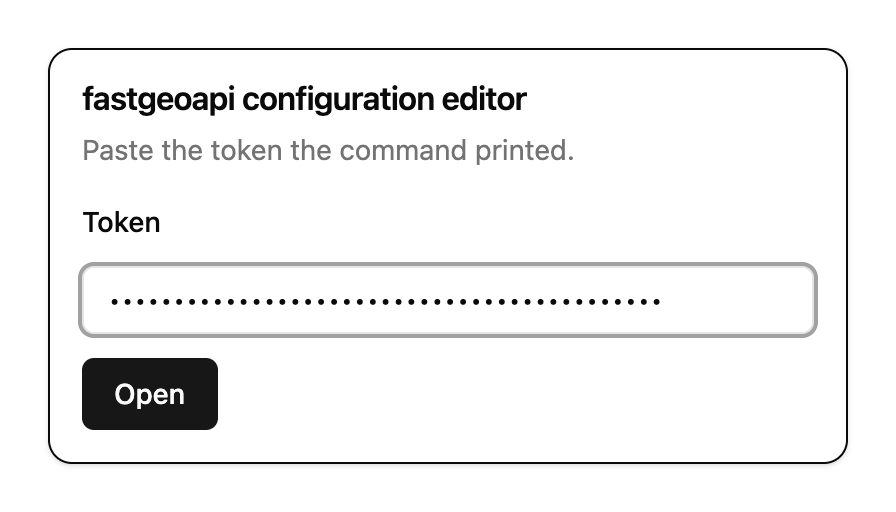
Behind it, a form built from the schema of the pygeoapi you are actually running. The schema is served by the editor rather than compiled into the page, so it cannot drift from the version in front of you.
Two tabs, both editable
Form and YAML are two views of one document. Change something in one and the other follows.
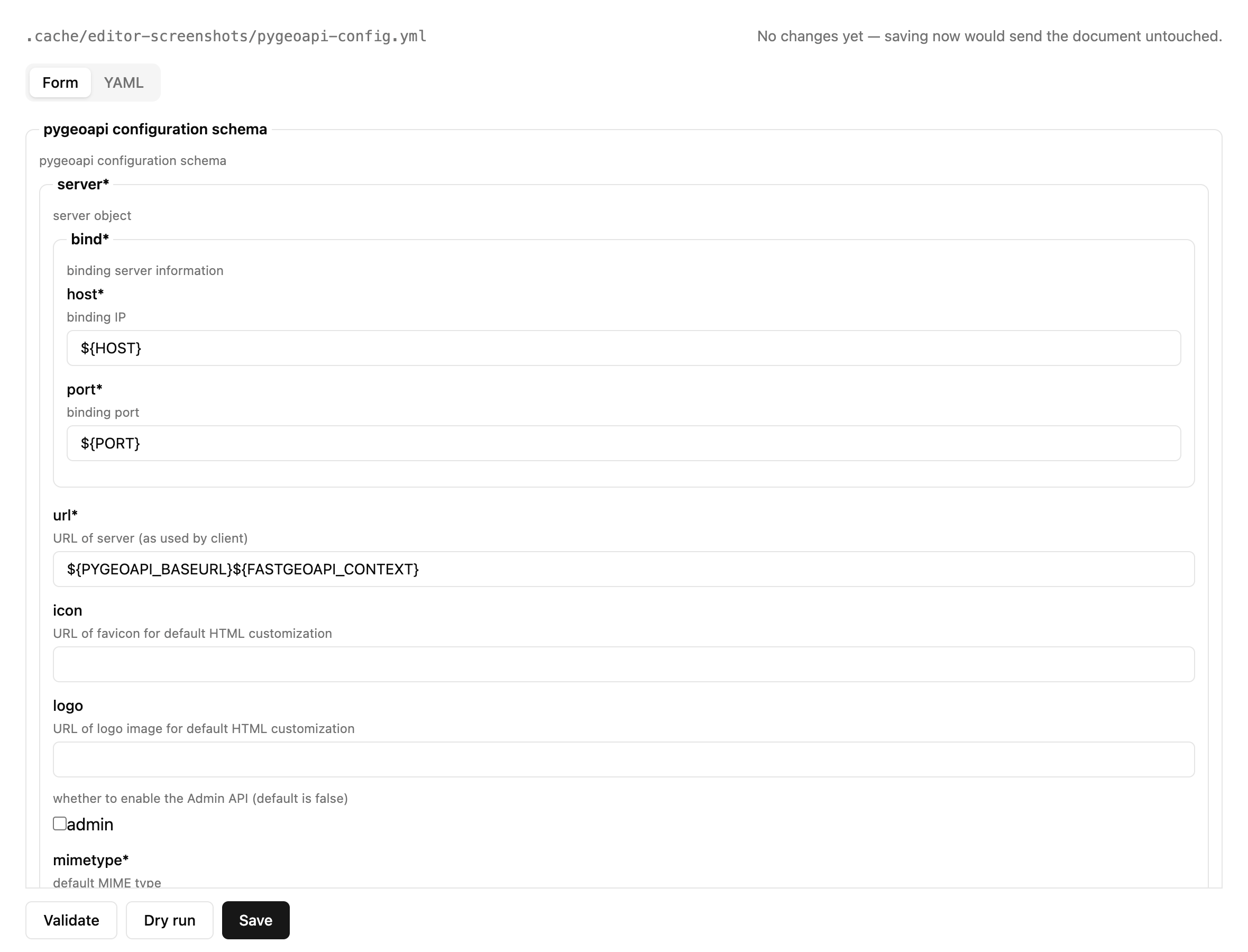
The header says which document is open and whether anything is pending. Opening one changes nothing: the form is a view, and it does not write what the schema merely suggests.
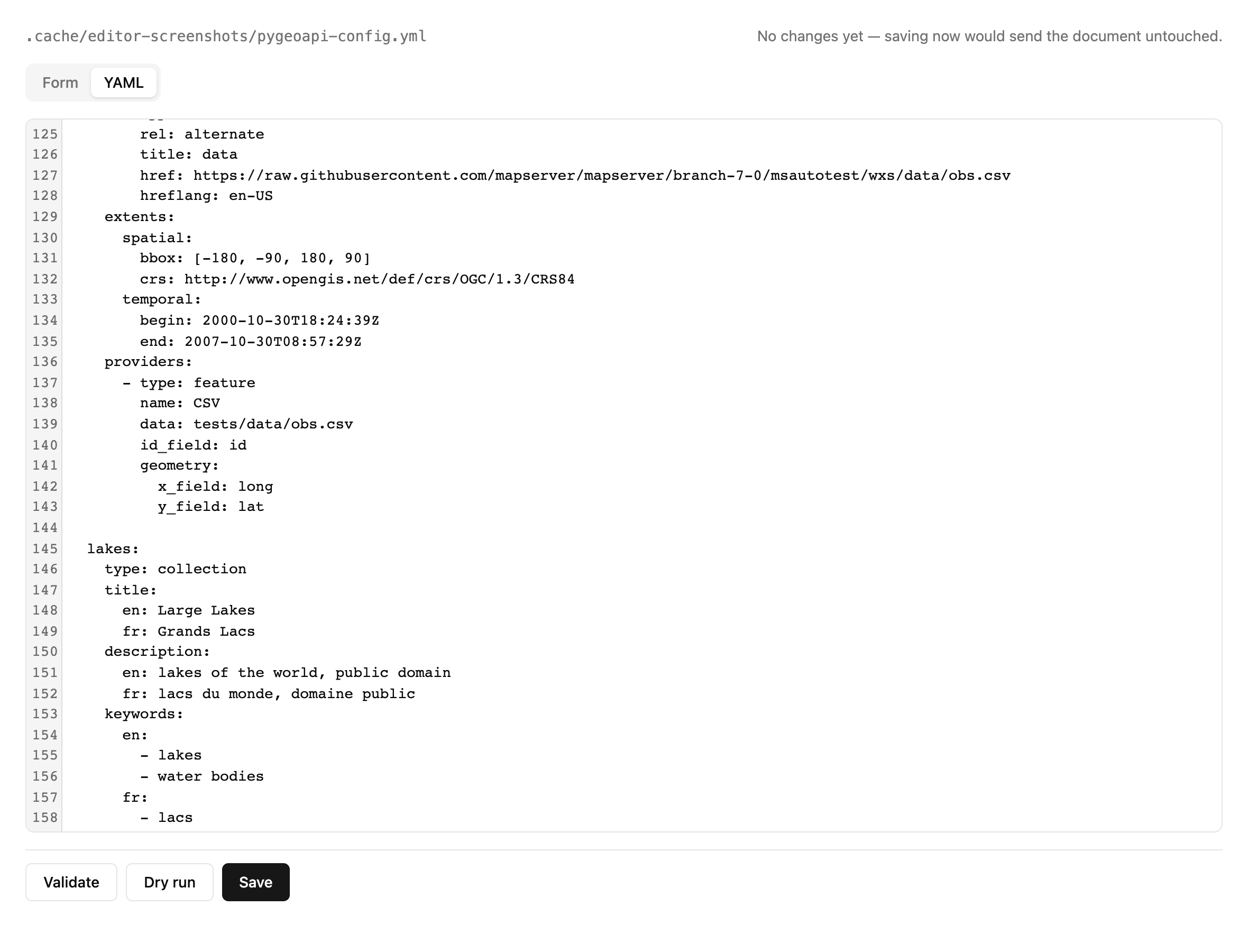
The text view is editable rather than a preview, and the reason is a limit rather than a preference: pygeoapi's schema does not describe store_options or engine_options, and says nothing about what keys a provider may accept — so no widget can create them. The form preserves them; only the text can write them. Adding a GeoParquet collection is therefore something you do in the YAML tab.
What you type is the document: saving sends it back as you wrote it, not a tidied re-rendering of it. While a line is still half written the text simply does not parse, which is said above the editor, and the form keeps the last document that did.
Save, Validate and Dry run sit below both tabs: which view you are looking at does not change what they do.
Three mistakes it does not make
It does not own your document. A form takes JSON and gives JSON back, and that round trip loses whatever the schema does not describe — store_options, engine_options, every provider-specific key, and all your comments. So the document stays the truth and the form is a view: only the values you actually changed are written back. Open it and save it without touching anything and the file comes back byte for byte as it was.
It shows your ${VAR} placeholders. Left to itself the form renders port: ${PORT} as an empty number box and calls your configuration broken — and one keystroke would replace a value you parameterised on purpose with nothing. Every scalar field therefore accepts text as well, so a placeholder stays visible and stays put.
It is not the authority on whether your document is valid. The page asks the server, which answers twice — as written, and as it would run. That distinction cannot be made in a browser, which knows neither your environment nor the deployment's.
How the token reaches it
The page asks for the token once and posts it in a request body. The address never carries it: a secret in a URL survives in browser history, rides along in the Referer sent to anything the page loads, and stays in the shell history that printed it.
What comes back is an HttpOnly cookie, which also confines: a browser binds a cookie to the origin that set it, so it cannot be sent to your deployment even by mistake. A header has no such limit.
If the command says the page is not compiled, the API still works — that is what it is for. cd frontend && npm install && npm run build adds the page; a release installed from PyPI has it already.
The screenshots on this page are taken by the editor itself: scripts/qgis_tutorial_screenshots.py's counterpart, scripts/editor_tutorial_screenshots.py, starts it on a copy of a configuration and photographs the four screens, so they cannot drift from the software.
The endpoints
| Method | Path | Answers |
|---|---|---|
POST | /editor/session | exchange the token for a cookie |
GET | /editor/schema | pygeoapi's configuration schema, as this server has it |
GET | /editor/config | the document as written, placeholders intact |
POST | /editor/validate | is it well formed — as source, and as it would run |
POST | /editor/dry-run | does it actually build |
PUT | /editor/config | save it, if it validates |
Every one of them needs the token, in the X-Fastgeoapi-Editor-Token header or in the session cookie — except /editor/session, which is how a browser gets in and checks the token in its own body.
They answer JSON and need no browser: use them from curl, from a script, or as a check in CI on a configuration before it is merged.
A whole edit from the shell
T='the token the command printed'
H="X-Fastgeoapi-Editor-Token: $T"
E=http://127.0.0.1:8765

# read it as written, placeholders and all
curl -s -H "$H" $E/editor/config | jq -r .document > candidate.yml

# ...edit candidate.yml...

# is it well formed?
jq -n --arg d "$(cat candidate.yml)" '{document:$d}' \
  | curl -s -H "$H" -X POST $E/editor/validate -d @- | jq

# does it actually build?
jq -n --arg d "$(cat candidate.yml)" '{document:$d}' \
  | curl -s -H "$H" -X POST $E/editor/dry-run -d @- | jq

# save it
jq -n --arg d "$(cat candidate.yml)" '{document:$d}' \
  | curl -s -H "$H" -X PUT $E/editor/config -d @- | jq
The same three calls make a reasonable CI check on a configuration before it is merged — with the caveat below about what a dry run can and cannot tell you from where it runs.
Two ways to be well formed
The document you edit is not the document that runs. Yours carries ${VAR} placeholders; the running one has them resolved. port: ${PORT} is a string where the schema wants an integer — correct in the source, wrong in the effective form.
So validate answers twice, and the effective answer carries the variables it substituted. Without them the answer would not be reproducible: the values come from wherever the editor is running.
{
  "source": { "ok": true, "problems": [] },
  "effective": {
    "ok": true,
    "problems": [],
    "variables": { "PORT": "5000", "HOST": "0.0.0.0" }
  }
}
A placeholder with no value in your environment is reported by name, rather than the document being called broken.
Saving refuses before it writes, never after
PUT validates and only then writes. A refusal that followed a write would leave the store holding a configuration that cannot start, one webhook call away from taking the service down.
It also says what it checked:
{
  "saved": true,
  "activated": false,
  "checked": ["source", "effective"],
  "not_checked": ["dry-run: ask /editor/dry-run before relying on this"]
}
A dry run is not run on every save on purpose: against a remote dataset it costs seconds, and an editor that made you wait would teach you to route around it. So saved does not mean verified, and the answer says so rather than letting you assume it.
What a dry run does — and what it does not
It builds the whole API from the candidate configuration, in isolation, and then goes further than building, because building is not enough:
- a provider is constructed without touching its data, so a source that is not there mounts perfectly and fails on first read;
- asking for an item does not settle it either — pygeoapi's GeoJSON provider answers
200with an empty collection when its file is missing, which is indistinguishable from a collection that is legitimately empty; - so the data source is checked directly, through the same storage layer for a local path and a bucket alike, using each dataset's own
store_optionsso a public bucket is not signed with credentials meant for somewhere else.
{
  "ok": true,
  "problems": [],
  "variables": { "PORT": "5000" },
  "collections": ["lakes", "obs", "overture-places"]
}
Against remote datasets this takes seconds — it really does read one item from each collection.
--augmented: what only fastgeoapi can tell you
Everything above works against a plain pygeoapi. Started with --augmented, a dry run answers two more questions that pygeoapi has no way to ask:
{
  "specs": ["core", "features", "processes"],
  "tools": ["getCollections", "getLakesFeatures", "describeObsCollection"],
  "not_reported": []
}
specs — the OGC API specifications this configuration would mount. fastgeoapi builds its route table from the resources rather than serving everything, so removing your last process resource stops declaring OGC API - Processes, and this is where you find that out.
tools — the MCP tools an agent would see. They are generated from the OpenAPI document, which the dry run has already built, and named by FastMCP rather than by us, so the list is what a client would really receive.
On the page the same answer reads like this — the variables it resolved included, because a green that does not say where it came from is worth less than it looks:
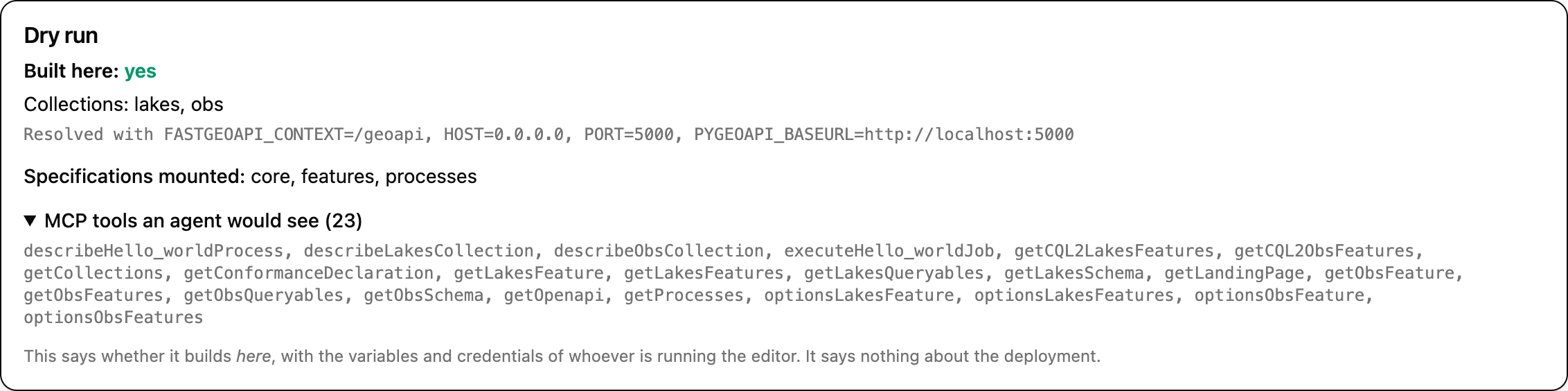
not_reported — whichever half could not be produced, and why. The flag never fails: someone may pass it against a pygeoapi they do not serve with fastgeoapi, and an error there would put back the barrier the editor deliberately does without.
It answers whether this builds here, never whether it works there
The build uses your environment and your credentials, not the deployment's. A bucket you can reach may be unreachable from the server; a variable set on your machine may be missing there.
Every outcome carries the variables it resolved, so you can tell the two apart. Reading a green as a guarantee about production is the one way this feature can do harm instead of good.
What it does catch is most of what actually goes wrong: a mistyped key, a provider that will not import, a missing extra, a path or an object that is not where the configuration says it is.
What it will not do
It cannot put anything into service. The editor mounts no reload webhook — saving writes the document, nothing more. Activating it is a separate gesture, against the deployment, with that deployment's own credentials.
That separation is deliberate twice over. Writing a configuration and activating it are different powers, and one surface holding both would mean whoever reaches it decides what the server serves. And a dry run empties the process caches: an editor sitting beside a live server would degrade what that server is serving on every preview, taking request latency back up with nobody able to connect cause to effect.
It stays on loopback. There is no OIDC chain in front of it — demanding an OAuth flow to edit a file on your own machine would be ceremony without security — so not being reachable from elsewhere is what stands in its place. Asking it to serve on any other address is a startup failure, not a warning. There is no --host option for this reason.